Vunemi helps with email, files, your calendar and the web. It asks before changing anything. The AI model runs on your Mac; Vunemi doesn't upload your conversations or documents to its own cloud for processing.
Find the invoices on my Desktop and put them in one folder.
Approve the plan
Look for invoices on the Desktop
Create a folder called Invoices
Move the invoices into it
Go aheadEditCancel
Move 4 files
Desktop → Documents/Invoices
ApproveDeny
Done. The 4 invoices are in Documents/Invoices.
Moved 4 files to InvoicesUndo
The AI model runs on this Mac.
What makes Vunemi different
Local model
The AI model runs on this Mac.
No Vunemi cloud processing
AI runs on your Mac
No Vunemi account or subscription. The AI model processes tasks on your Mac. If you connect Gmail, Outlook or websites, those services exchange the data needed for the task; they aren't Vunemi cloud services.
Move 4 files
Desktop → Documents/Invoices
ApproveDeny
You have the last word
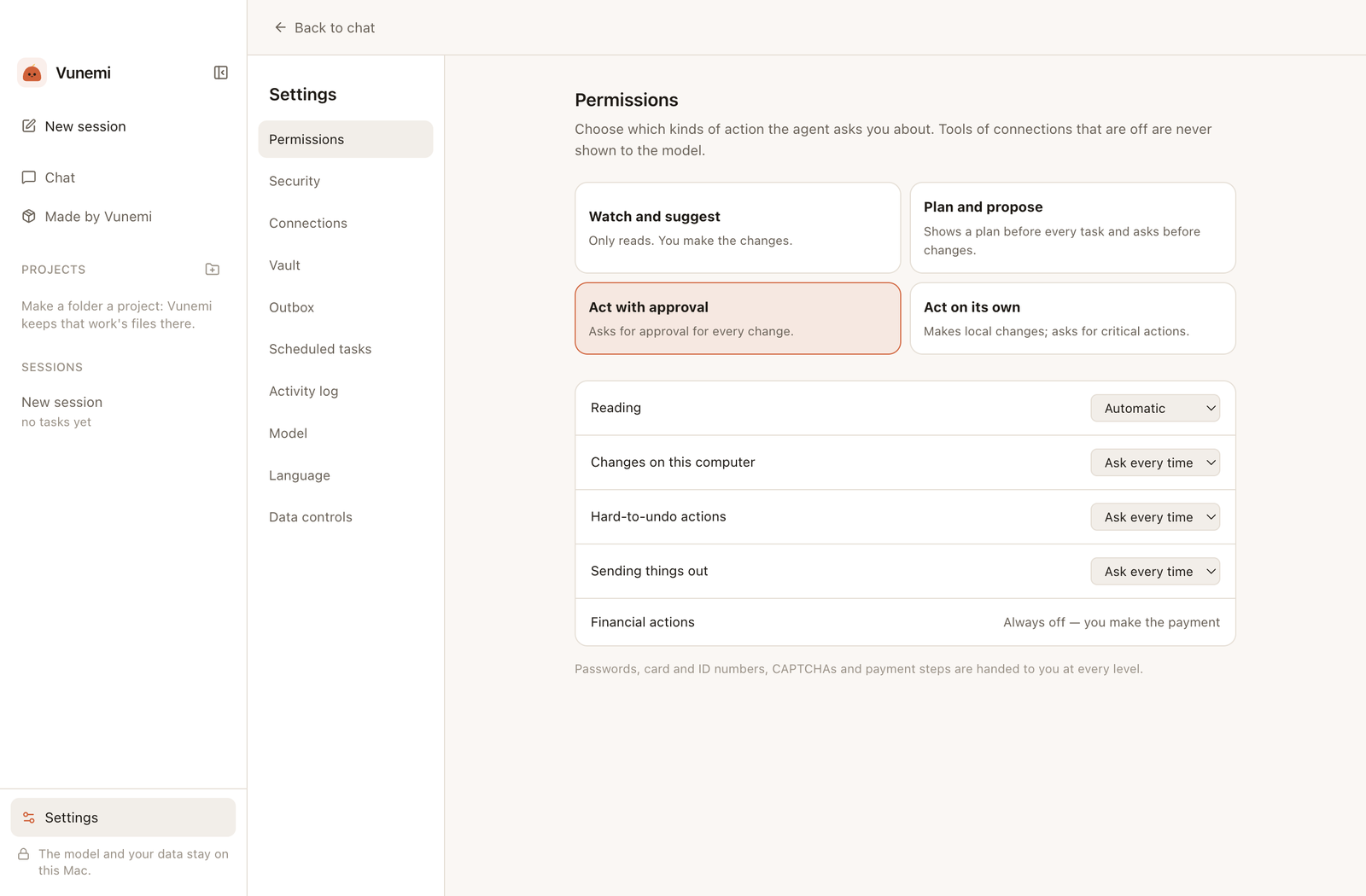
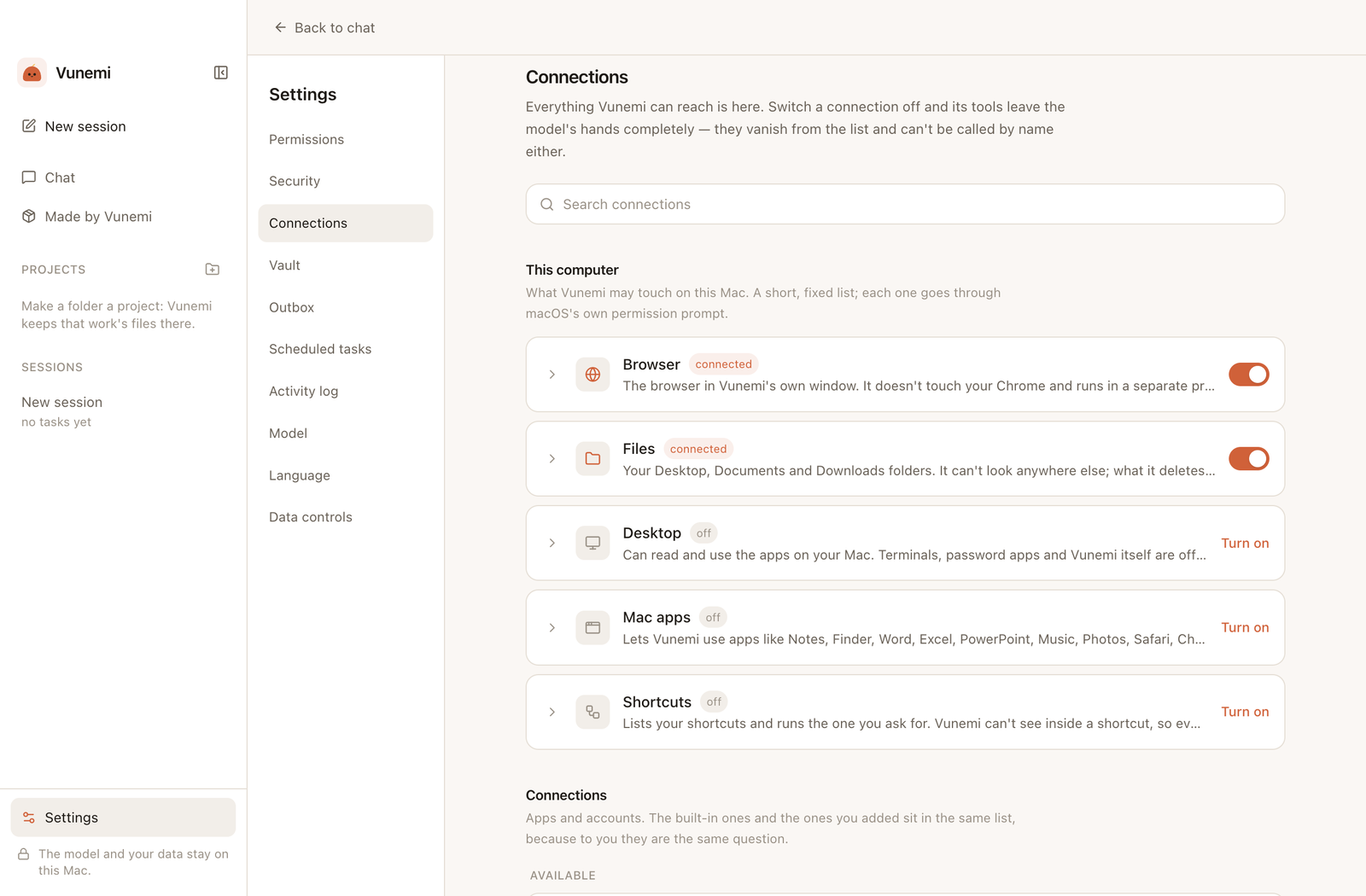
Every connection starts switched off. Before anything changes, Vunemi shows a card saying exactly what it will do, and waits for you. You choose how often it asks.
Activity log
Moved 4 files to InvoicesUndo
Move 4 filesUndo
Mistakes can be undone
Everything Vunemi does is listed in the Activity log with an Undo button. Deleted files go to the Trash, and a sent email waits 45 seconds so you can take it back.
What it helps with
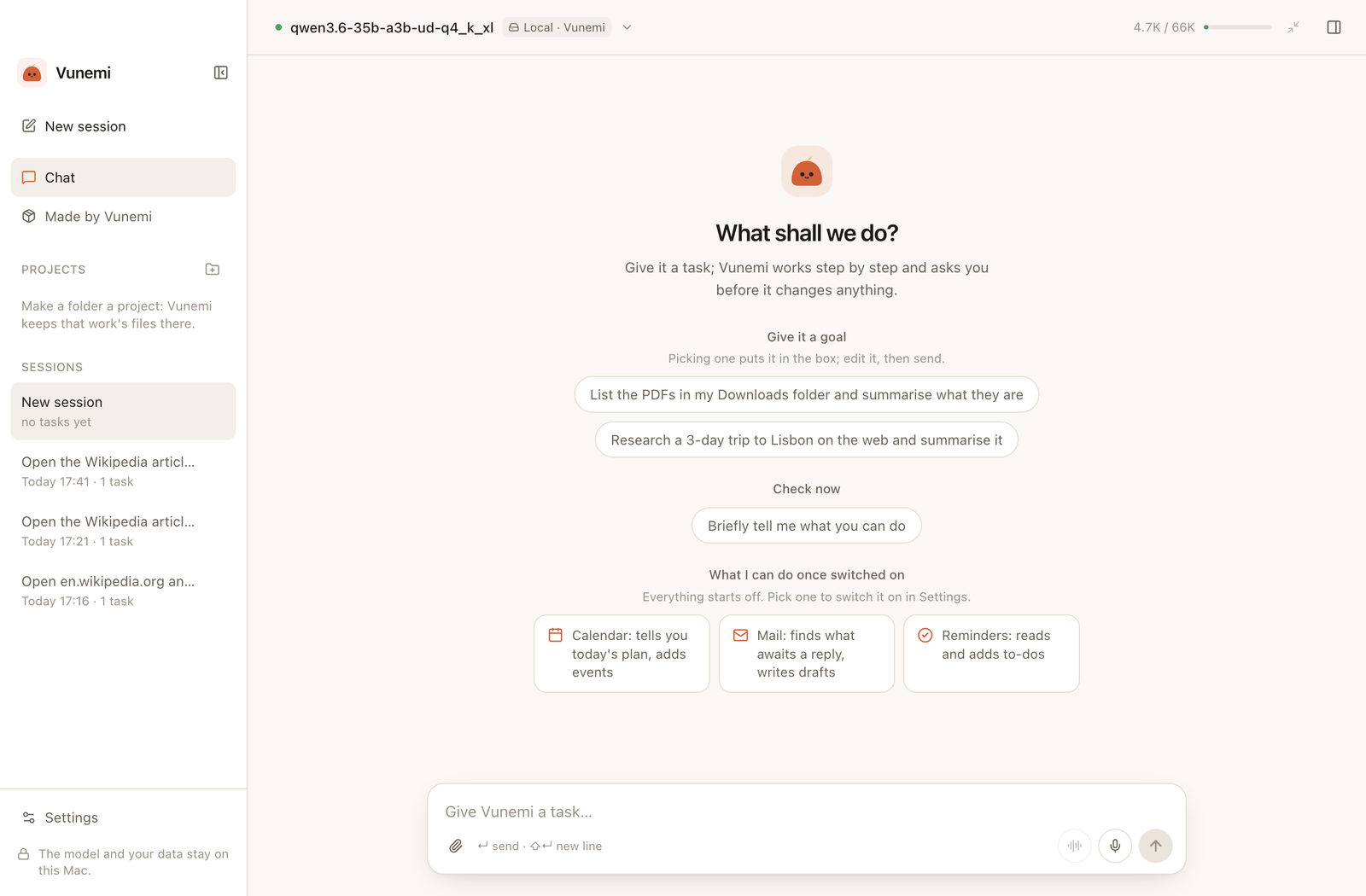
Ask in your own words. Turn on only the connections you need.
Stay on top of email
Finds mail waiting for a reply, sums up threads and writes drafts. Works with Gmail, Outlook and other IMAP accounts, and never sends without your approval.
Which emails are waiting for my reply?
Plan your day
Reads your calendars and reminders, including Google or Outlook calendars added to your Mac, and adds events or to-dos when you approve.
What's on my calendar tomorrow?
Find and tidy files
Searches your Desktop, Documents and Downloads, reads documents, and moves or renames files after you approve. Every change can be undone.
Find the invoices on my Desktop and put them in one folder.
Look things up on the web
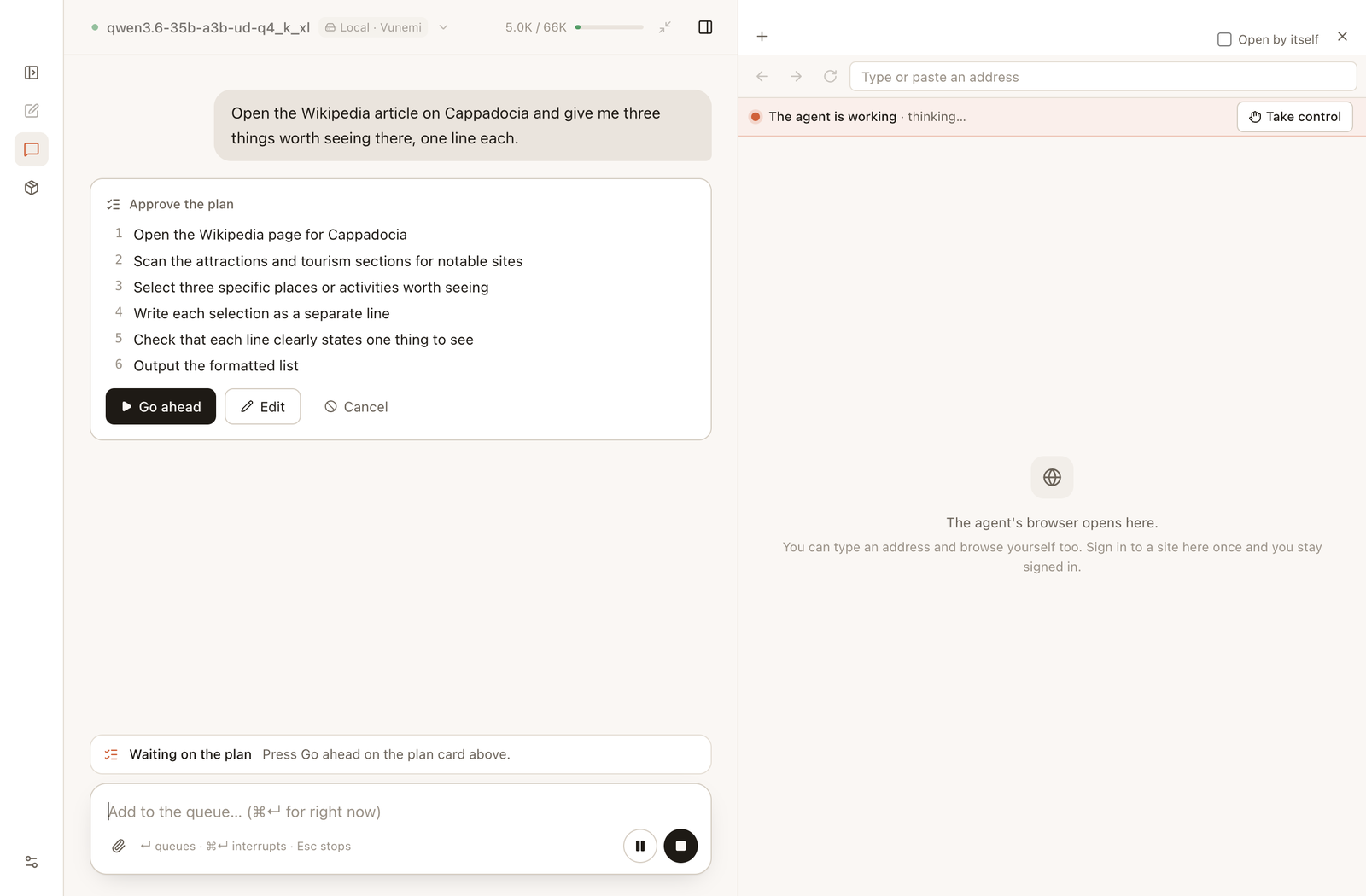
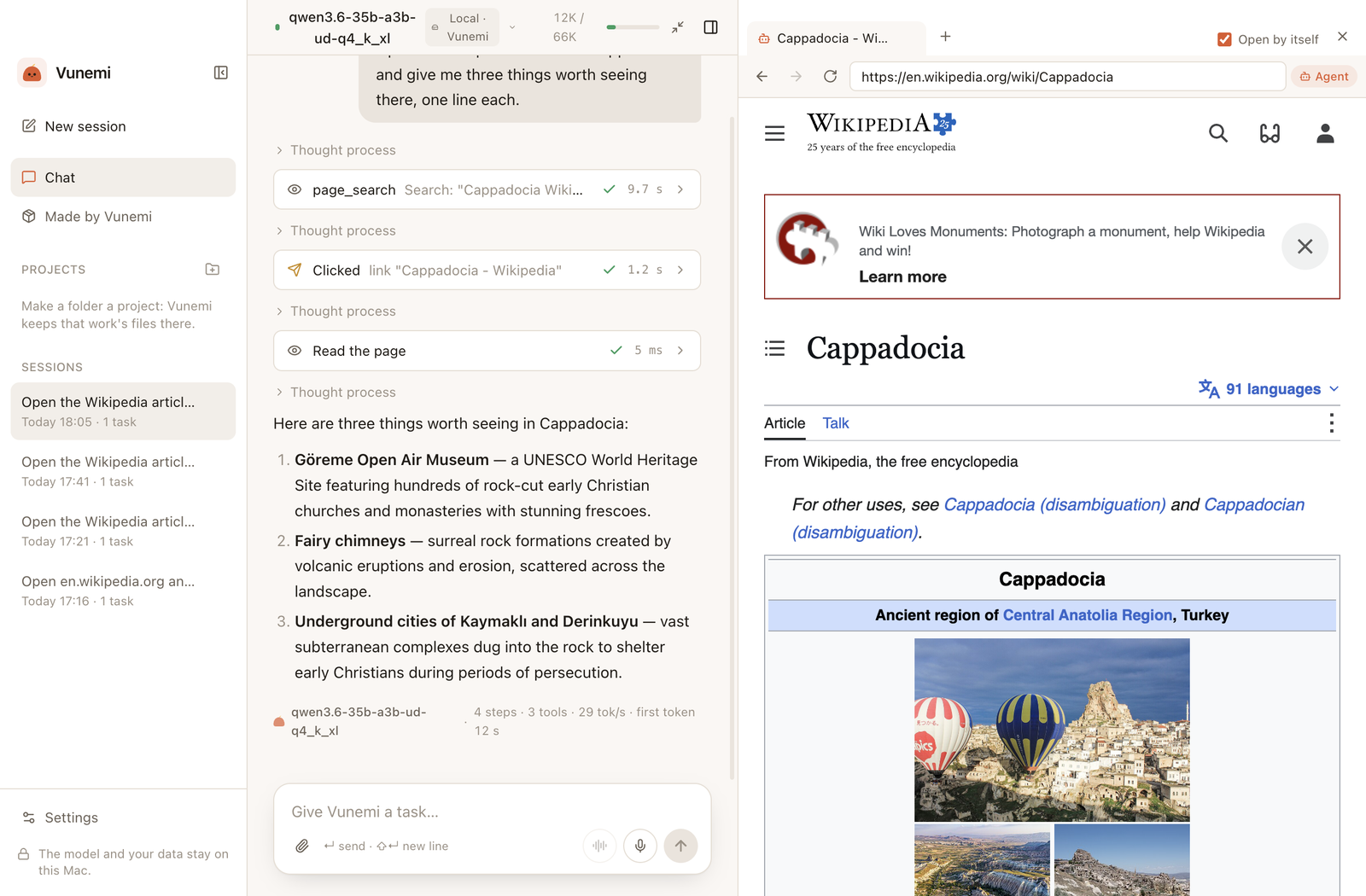
Opens pages in a browser inside Vunemi, separate from your own. It reads, compares and fills in forms, and you can press Take control at any moment.
Compare the opening hours of these three museums.
Use your Mac apps
Works with Notes, Excel, Word, PowerPoint, Finder, Contacts, Messages and more, without clicking around your screen. Each app has its own switch.
Sum up the expenses in this Excel sheet.
Talk instead of typing
Dictate with a speech model that runs on your Mac, or switch to voice chat: Vunemi listens, answers aloud and carries on.
Read me today's meetings.
Repeat tasks on a schedule
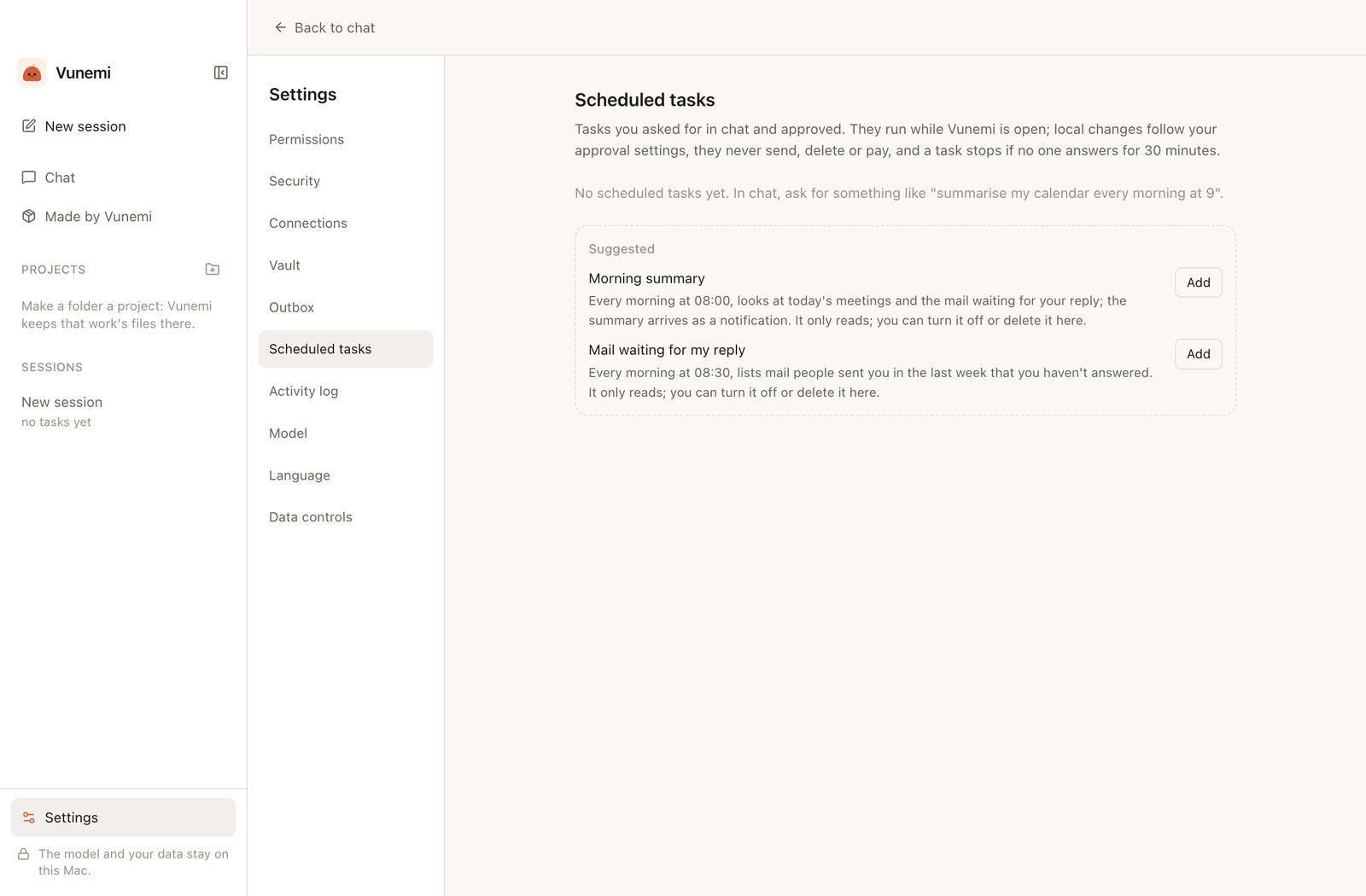
Ask for a morning summary or a weekly check. Scheduled tasks run while Vunemi is open, and they never send, delete or pay.
Every morning at 9, sum up my calendar.
Show it a picture
Attach a screenshot or a photo. Models that can see images describe them; with other models, Vunemi still reads the text in them on your Mac.
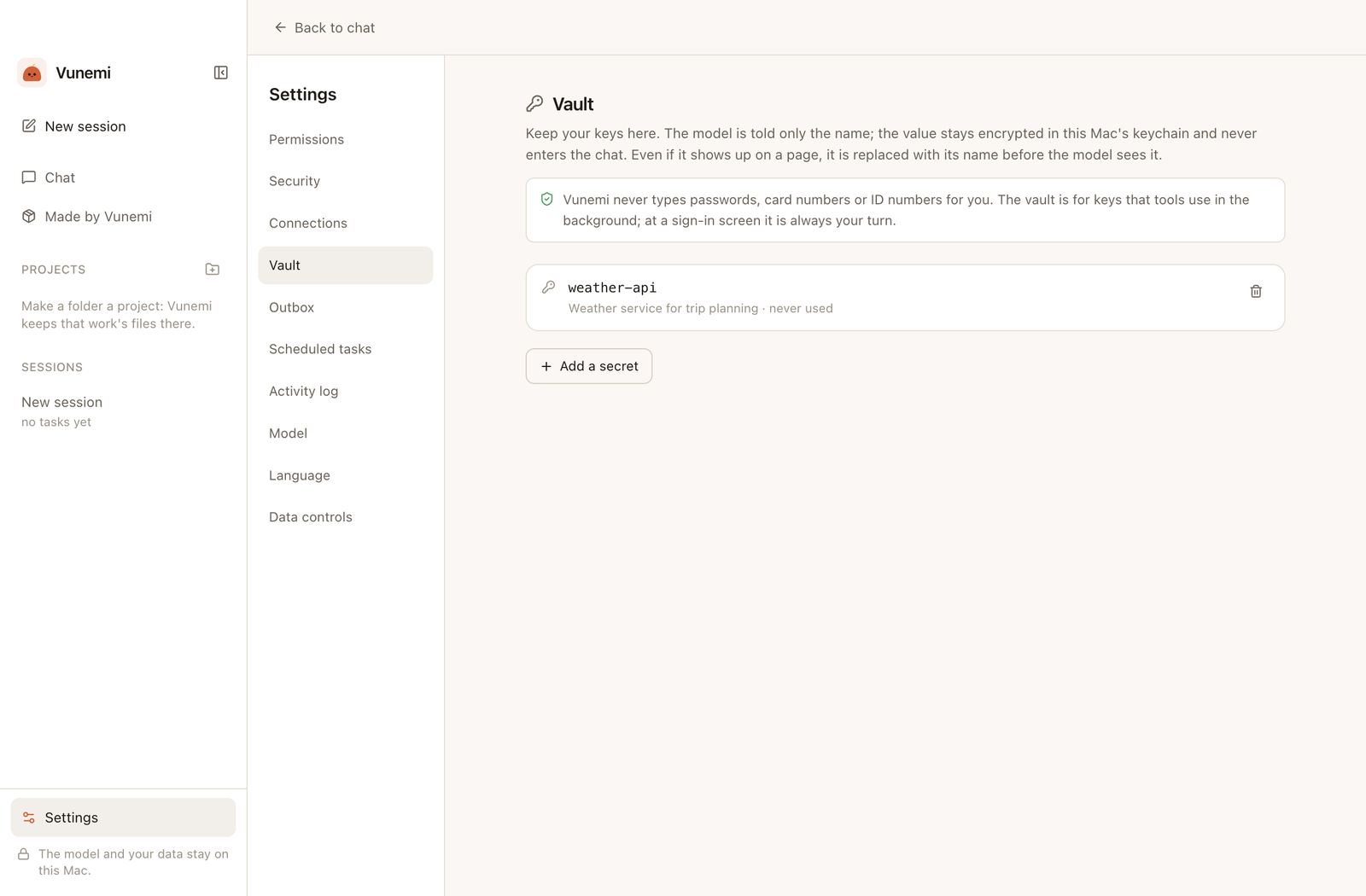
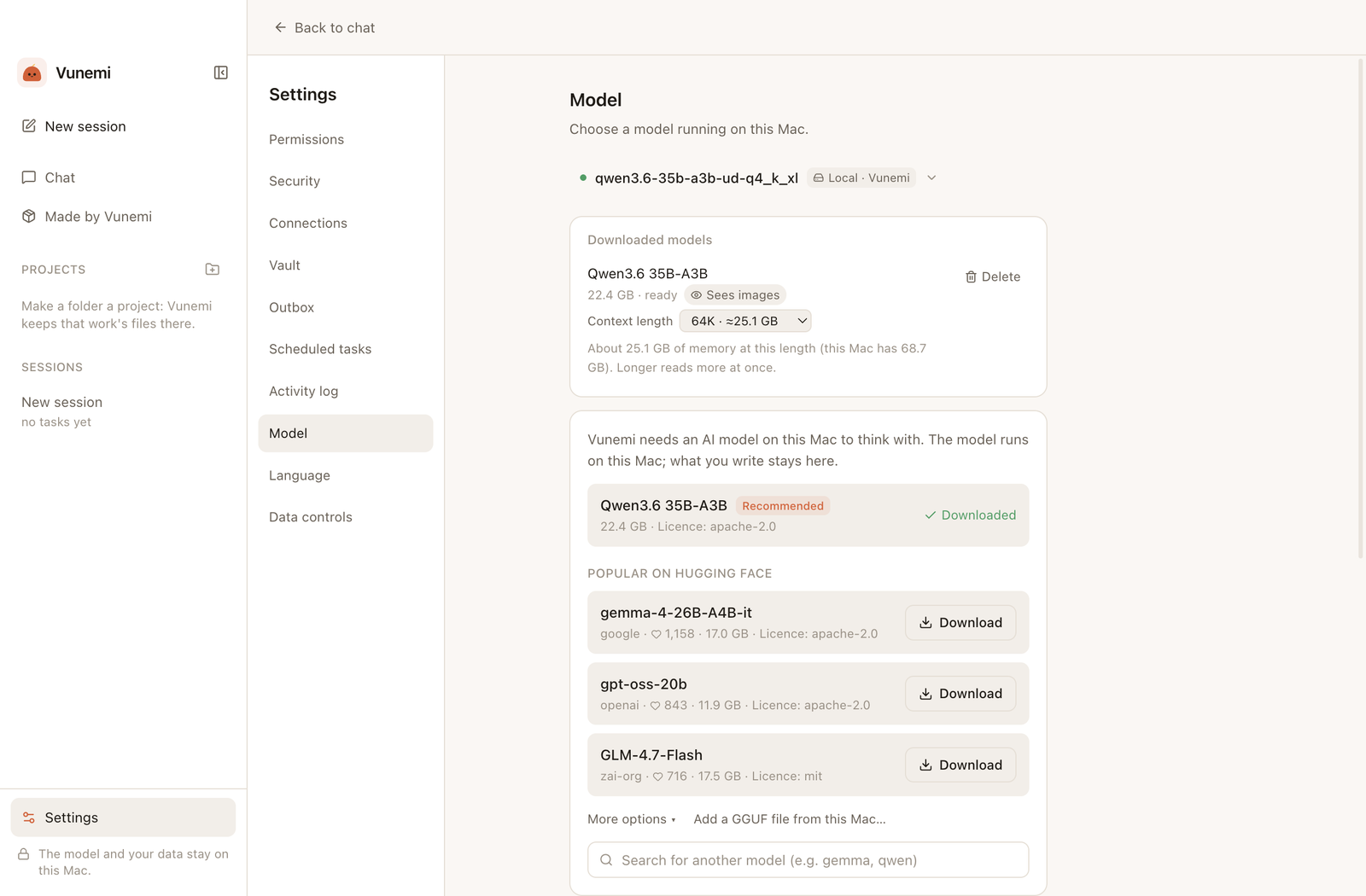
Real screens from the English app, captured with sample data.
Check the plan before anything happensReads a web page and answers, in its own browserStart a task in your own wordsChoose when Vunemi asks firstEvery connection starts switched offScheduled tasks that only readKeys stay in the Vault; the model sees only the namePick a model that fits your Mac
Results depend on the model and your Mac. A small model makes more mistakes on complex tasks.
For Apple Silicon Macs with macOS 14 or later.
Tasks, including scheduled ones, run while Vunemi is open.
The app is signed but not yet notarized by Apple. The first time, you may need to click Open Anyway in System Settings › Privacy & Security.
Why Vunemi?
Little tasks add up.
An email waiting for a reply, a document you can’t find, a crowded calendar. Vunemi is made for those moments: a helper that does the legwork, asks before it acts, and runs its AI on your Mac.
Open source, built together
Vunemi's code is on GitHub under the GPL-3.0 licence. Anyone can read it, check what it does and help make it better.
 Vunemi